EveryMatrix × Atlas Reach
Full Time Result
in operator CRM.
Atlas Reach makes match content that operators can use wherever they talk to their players: in newsletters, push notifications, banners on their site and more. Each piece comes complete with the match, the odds, the texts and the brand's own graphics. This introduction uses a newsletter as the example.
Shares the basics
A newsletter contact, newsletter examples, countries and languages.
Designs the block
Brand assets and the match block, approved by the operator.
Switches on the feed
For the operator's brands.
Builds the block
In Movable Ink and Optimove, with a guide from Atlas Reach.
Sends the first newsletter
After a test.
Runs by itself
From then on, the block always fills itself with the most popular match and the latest odds.
Each new block or channel follows the same steps.
What Atlas Reach delivers: the feed
Atlas Reach provides an API. Movable Ink uses it to fetch everything needed to show a match in the newsletter, in the operator's own look.
The match
Chelsea v Manchester United · Premier League · Sat 31 Oct, 12:30
The odds
Home 4/5 · Draw 29/10 · Away 3/1
From EveryMatrix.
Texts
Headline, body text, button text and the legal line.
Brand graphics
Logo, odds buttons, buttons and the brand's own shapes.
Images, video and audio
Photos, short videos and sound, in the brand's style.
Which matches are shown is set once, when the block is built (for example: Premier League, the most popular match in the next round). After that, nobody types in a match or odds.
What Atlas Reach needs
Very little. Atlas Reach makes the brand assets and designs the match block; the operator approves them.
From the operator
- Examples of today's newsletters, with their specsWidth, text lengths and image sizes, so the block fits.
- The countries and languages to cover
- Sign-off on the brand assets and the match blockAtlas Reach makes them and sends them for approval.
From the operator or EveryMatrix
- The newsletter contactThe person who builds the block in Movable Ink and adds it to the newsletter in Optimove.
What the result could look like
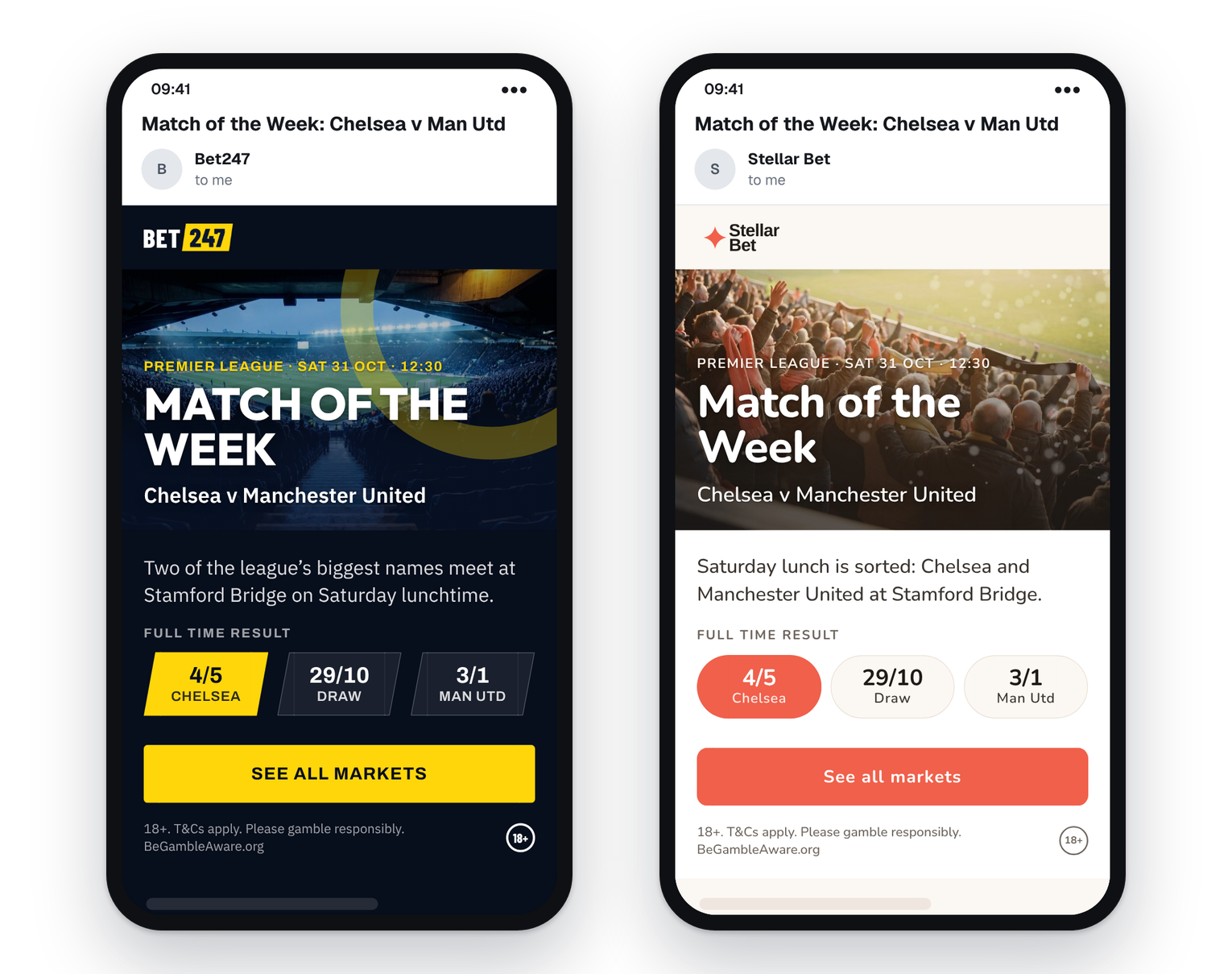
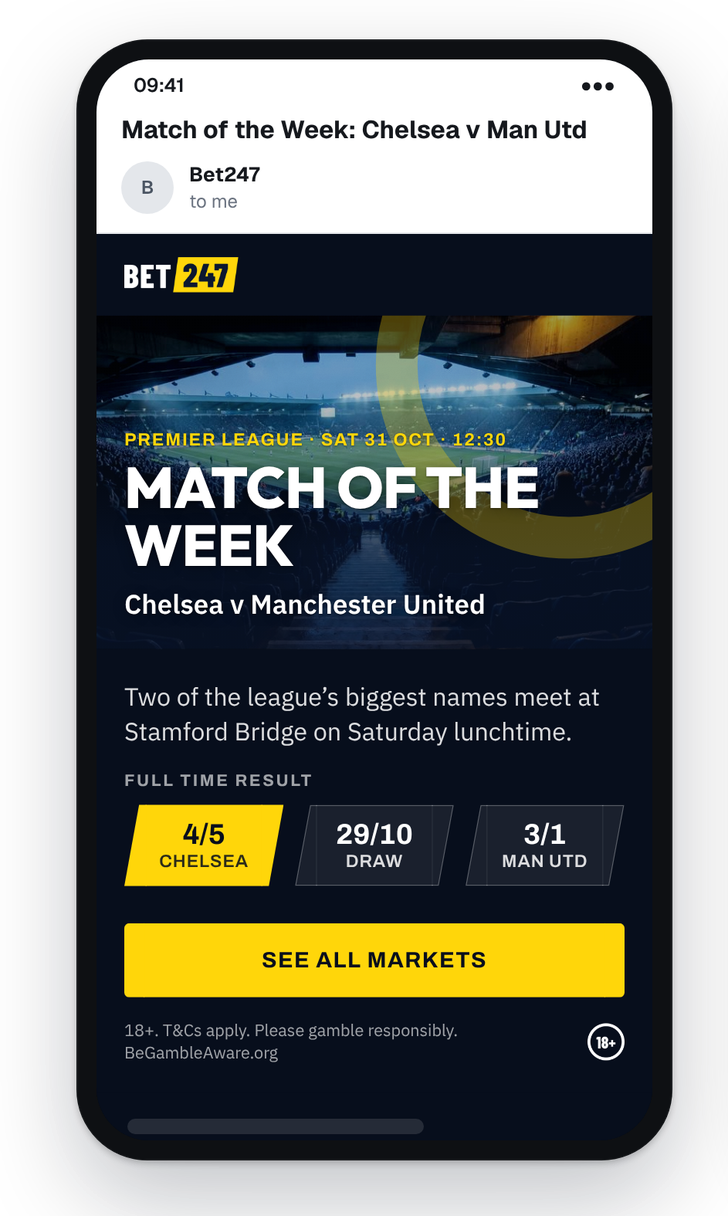
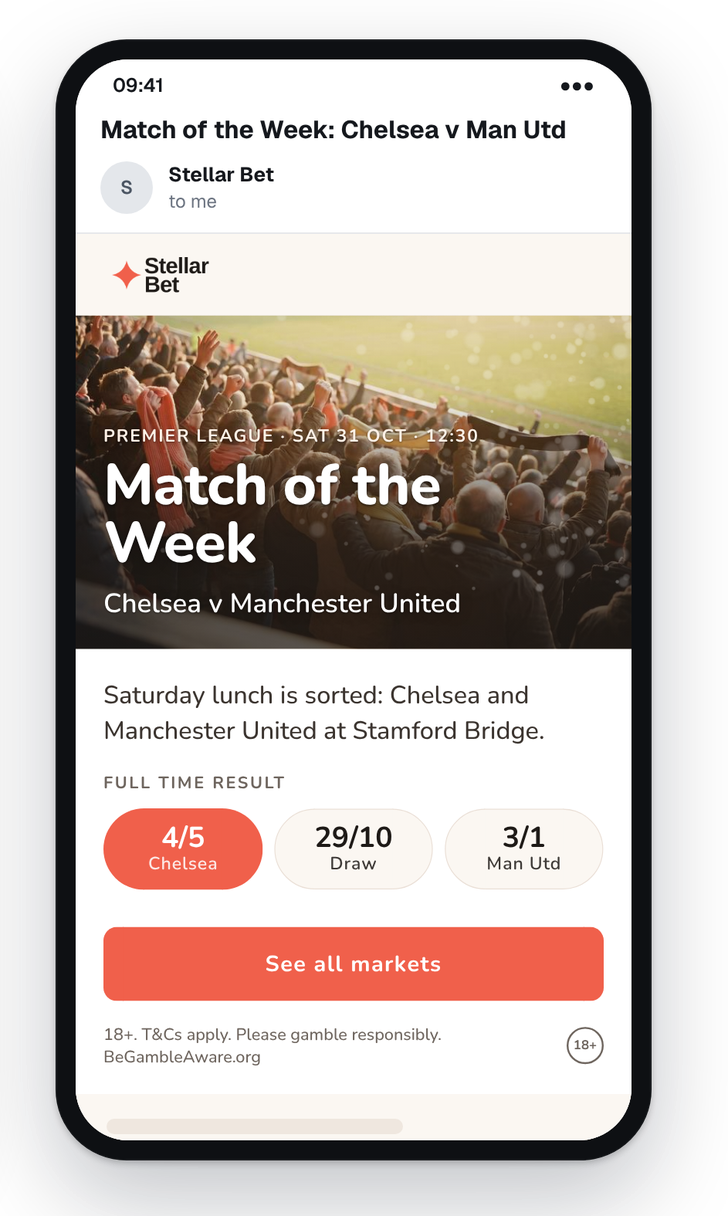
A Match of the Week block, as players see it in the newsletter: the match, the three full-time result odds and a button, in the brand's own look.
Who does what
Each party's part, by step. The steps are the same as in the summary at the top.
Atlas Reach
- Step 2Makes the brand assets and designs the match block
- Step 3Switches on the feed for the operator's brands
- Steps 4–5Guides the newsletter contact and helps test the first newsletter
The operator
- Step 1Names the newsletter contact and shares newsletter examples, countries and languages
- Step 2Approves the brand assets and the match block
- Step 5Tests and sends the first newsletter
The newsletter contact
At the operator or EveryMatrix
- Step 4Builds the block in Movable Ink and adds it to the newsletter in Optimove
- Step 5Helps test the first newsletter
Atlas Reach needs one name: the person who will set up the match block in Movable Ink and Optimove.
Normally at the operator, using guides from Atlas Reach, or at EveryMatrix if it takes this on. With that contact in place, the rest follows the steps above.